Confirm a Connector Request
After a Member makes a request, an Admin needs to approve their Connector Request in order for them to be able to use it. This guide provides step by step instructions for any Admin with paid access.
1. Hover over the Plus icon to open the Navigation Menu
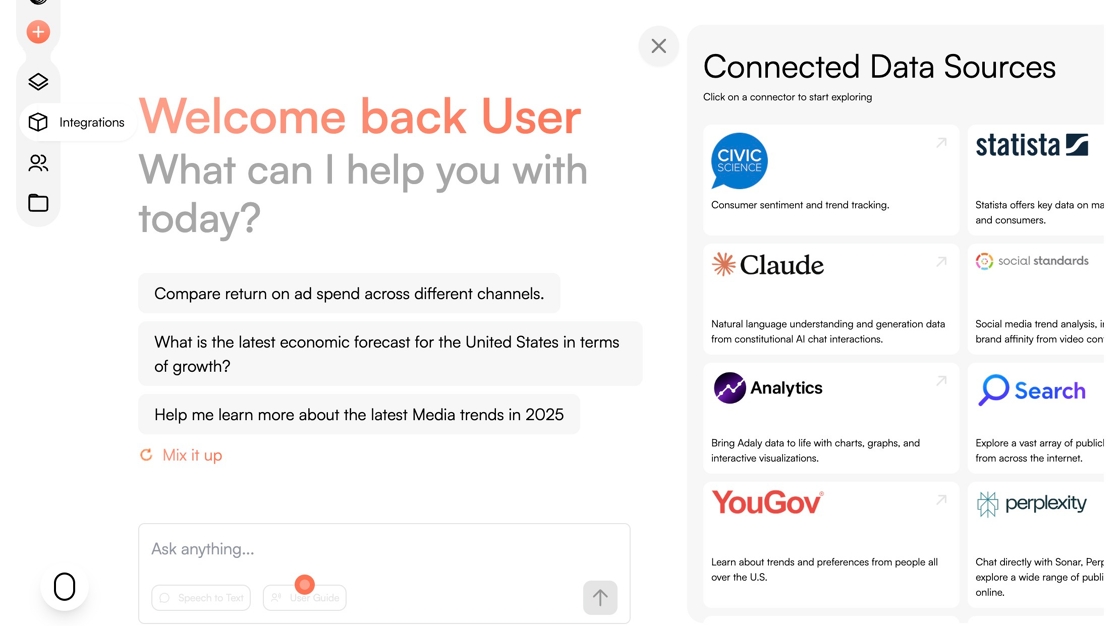
2. Click on the Integrations logo.

3. Click "Connector Requests"

4. Click the checkmark next to the connector request you intend to confirm

5. Click "Save"

6. Click "Confirm Payment"
